BM Principal
- System
- Windows 11
- Graphics
- GeForce RTX 3060
- Timezone
- America/Sao_Paulo
- Language
- pt-BR
- Screen
- 1920 × 1080
- Exit IP
- 177.71.32.18
veil keeps the fingerprint, proxy, cookies and storage of every profile apart, so the platforms see separate people on separate computers.
No card needed to try it.
Create profiles in seconds, import cookies from a business manager, open dozens of windows tiled on the screen and see which ones are running.
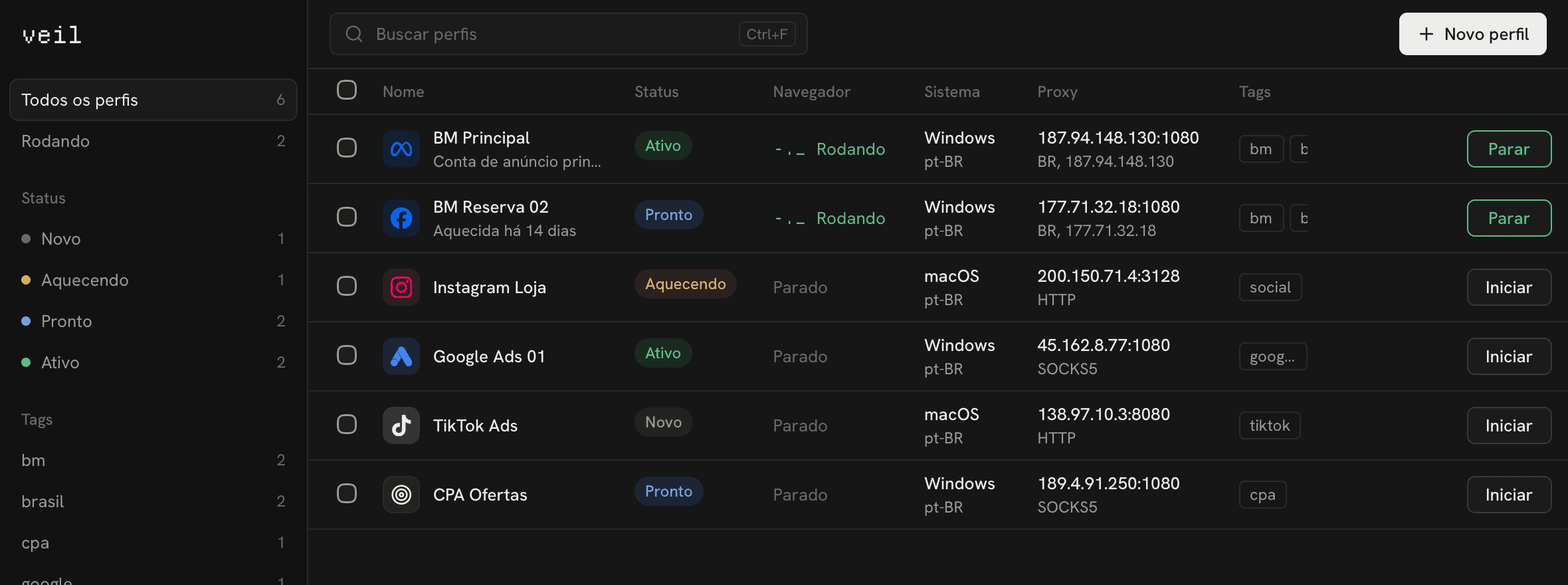
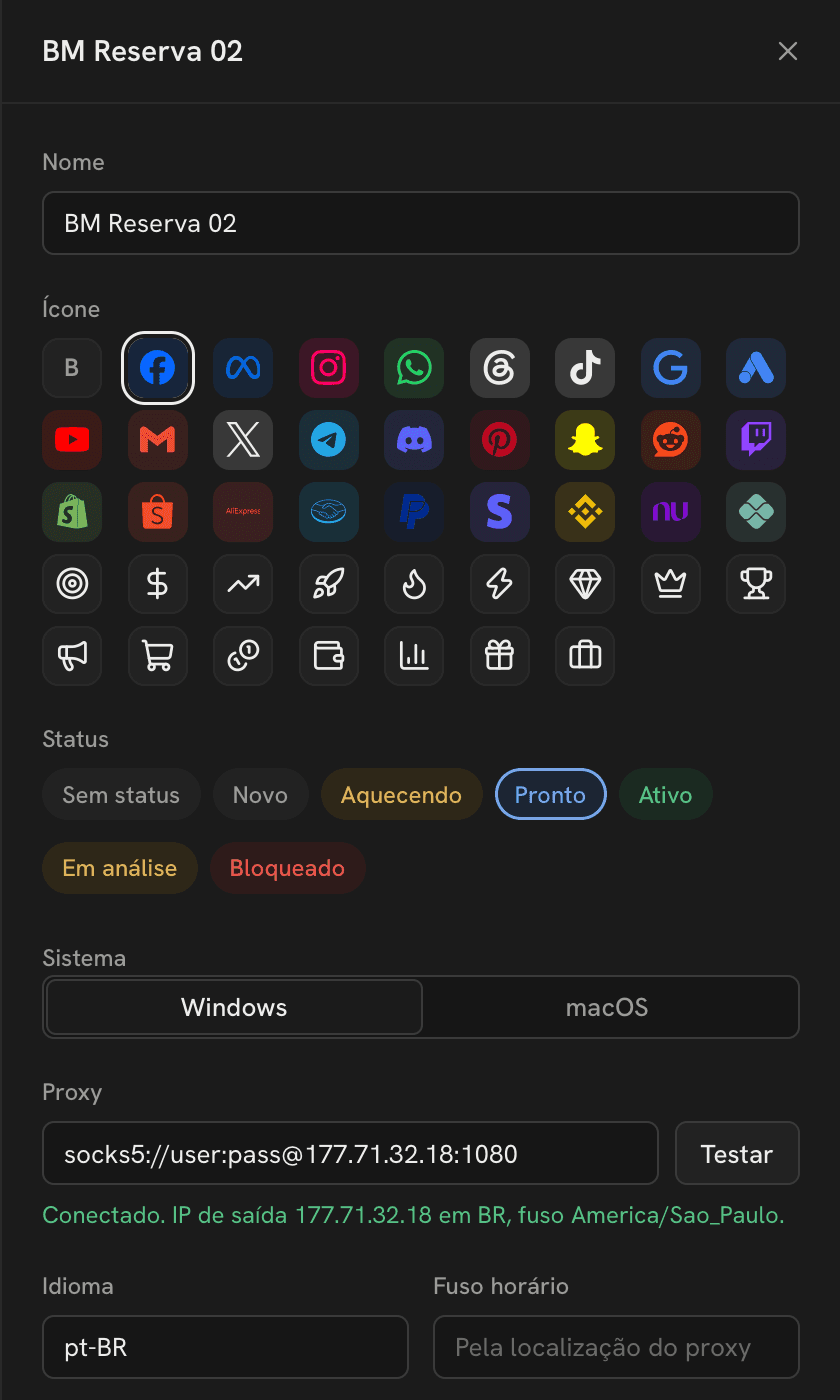
All on one machine, yet each profile shows the sites a complete and consistent device of its own.
Canvas, WebGL, fonts, screen, timezone and language come from a coherent device, not random noise that flags you.
HTTP or SOCKS5 with authentication. veil checks the exit IP and matches timezone and language to it.
Paste or import JSON, Netscape or header cookies and open the profile already signed in.
Ads Manager, Business Suite and the login pages you use open as pinned tabs every time.
Start a group of profiles and veil tiles the windows to fill the screen, on Windows and macOS.
Mark profiles as warming, active, blocked or in review and find the right one at a glance.
Email and password. Your 7 days start right away.
Download for Windows or macOS. The browser engine installs itself on first launch.
Keep your profiles when the trial ends by subscribing to a monthly or yearly plan.
Unlimited profiles and no paperwork. Try it free for 7 days.
Paid by card through Stripe. Renews automatically and you can cancel anytime.
No. Create an account and you have 7 days with every feature.
No. Create as many profiles as your computer can run.
Camoufox, a hardened Firefox build designed to resist fingerprinting. It installs automatically.
Card subscriptions renew on their own. With Pix, pay a new charge from your account before the period ends and the days are added on top.
Yes, from your account at any time. You keep access until the end of the period you paid for.